
How GaN Chargers Work and What to Check Before Buying

Advertisements
Gallium nitride chargers work by replacing traditional silicon semiconductors with a crystal material that conducts electricity faster and generates substantially less heat. This technology helps shoppers who want to power phones, tablets, and laptops from a single pocket-sized adapter, but finding the right model requires checking power distribution rules across shared ports so you do not accidentally slow down your devices.
While early power adapters relied on heavy magnetic transformers and bulky silicon parts, modern charging accessories use advanced semiconductor chemistry to shrink physical enclosures without sacrificing output wattage. Understanding how these electronic components function and how manufacturers allocate wattage across multiple ports ensures you select a reliable unit that safely powers your specific hardware.
What gallium nitride is and why it replaces silicon
For decades, consumer electronics relied almost exclusively on silicon as the foundational semiconductor for power management and rectification. In an electrical circuit, semiconductors act as solid-state switches that regulate the flow of alternating current coming from a standard wall outlet and convert it into direct current suitable for portable battery packs. Silicon has physical limitations in how quickly it can switch between conducting and insulating states, as well as how much heat it tolerates before internal resistance climbs to unsafe levels.
Advertisements
Gallium nitride, commonly abbreviated as GaN, is a wide-bandgap semiconductor material with distinct chemical and electrical properties. Bandgap refers to the energy required to free an electron from its valence band into the conduction band so it can carry an electrical charge. Because gallium nitride features a significantly wider bandgap than silicon, electrons move across the material with less resistance and at much higher switching frequencies.
Advertisements
Higher switching frequencies allow electrical engineers to construct internal components, such as transformers, capacitors, and inductors, at a fraction of their conventional physical dimensions. In practical terms, an engineer can design a 65-watt or 100-watt power adapter using gallium nitride that occupies half the physical volume of an equivalent silicon-based brick. This structural efficiency reduces the overall weight of travel gear while maintaining full electrical output for demanding portable workstations and modern smartphones.
Key structural differences between semiconductor materials
- Bandgap width: Gallium nitride has a bandgap of roughly 3.4 electron volts compared to 1.1 electron volts in traditional silicon, allowing higher voltage tolerance in smaller footprints.
- Switching speed: GaN transistors switch on and off up to ten times faster than silicon equivalents, minimizing energy loss during transition cycles.
- Thermal resistance: The chemical structure conducts thermal energy more effectively, allowing components to remain cooler under sustained power draws.
How GaN chargers handle heat and power transfer
Power conversion is never completely lossless, as every electrical component exhibits some degree of internal electrical resistance that converts incoming energy into waste heat. In older silicon power supplies, energy loss during AC-to-DC conversion was relatively high, requiring large internal heatsinks, thermal adhesive potting compounds, and spacious ventilated enclosures to prevent internal thermal degradation or fire hazards.
GaN power adapters operate with markedly higher electrical efficiency, routinely converting over ninety percent of incoming wall power directly into usable DC output. Because less energy converts into stray thermal waste, the need for oversized metal heatsinks inside the housing is greatly reduced. The smaller thermal footprint allows manufacturers to pack the electronic assembly into tightly sealed, drop-resistant plastic housings that stay comfortable to the touch during routine charging tasks.
Operating at cooler internal temperatures also extends the operational lifespan of sensitive internal microcontrollers and filter capacitors. High ambient operating heat is the primary factor in component aging for power electronics. By lowering baseline operating temperatures during high-current charging sessions, well-engineered GaN adapters deliver consistent current regulation and maintain stable voltage lines over years of regular use without sudden voltage drops.
However, compact enclosures still require proper ambient air circulation when delivering peak rated wattage for extended periods. When a small GaN brick delivers full power to a drained laptop battery, its outer casing will naturally feel warm as the internal thermal spreaders direct heat outward away from sensitive controller chips. This heat dissipation is a normal design function rather than a product defect.
Understanding wattage ratings and dynamic power allocation
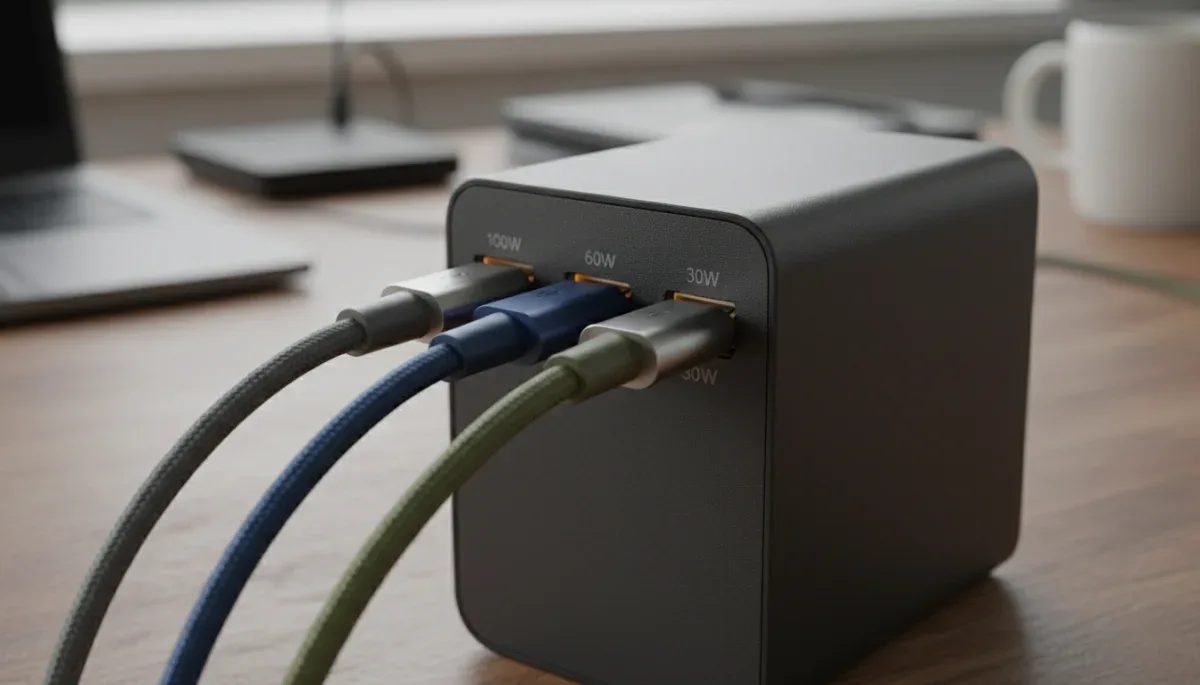
When shopping for a GaN charger, the headline wattage printed on the retail packaging represents the maximum total power the unit can deliver simultaneously across all ports. A charger advertised as a 100-watt model does not necessarily supply 100 watts to every connected cable. In multi-port designs, internal intelligence chips continuously split and reallocate available wattage based on the specific power handshake established with each plugged device.
Dynamic power allocation is handled by internal step-down buck converters and a central Power Delivery controller. When you connect a single laptop to the primary USB-C port on a 100-watt adapter, the charger provides the full 100 watts over that single connection. If you then plug a smartphone into the secondary USB-C port, the controller briefly interrupts power to renegotiate voltages, typically reassigning 65 watts to the laptop and 30 or 35 watts to the phone.
Understanding these split configurations is crucial before buying a multi-port accessory for travel or work desk setups. Many budget multi-port adapters downgrade secondary ports to basic five-volt trickle charging as soon as three or four devices are plugged in at the same time. Reviewing the product manual or technical breakdown table on the manufacturer packaging reveals exactly how wattage splits across individual ports under mixed loads.
Typical multi-port power sharing schemes
- Single port use: The primary USB-C port outputs the full maximum advertised wattage of the charging unit.
- Dual port use: The total wattage usually splits in an asymmetric configuration such as 65 watts plus 30 watts on a 100-watt unit.
- Triple port use: The primary port maintains sufficient wattage for a laptop while secondary ports split remaining capacity for smaller accessories.
- Legacy USB-A inclusion: Connecting an older USB-A cable frequently reduces shared output on adjacent ports to standard ten-watt or twelve-watt limits.
Matching fast-charging protocols to your devices
Physical port shape alone does not guarantee rapid charging speeds, because the charger and receiving device must share a compatible communication standard. Modern fast charging relies on standardized digital protocols negotiated over the communication channel pins inside USB Type-C connections. If the charger and the connected phone or computer cannot agree on a specific voltage and amperage combination, charging defaults to baseline USB speeds.
The universal baseline standard for modern high-wattage charging is USB Power Delivery, commonly referred to as USB-PD. The current iterations, USB-PD 3.0 and USB-PD 3.1, allow devices to request specific voltage tiers ranging from standard 5 volts up to 28, 36, or 48 volts for heavy-duty laptops. Another vital extension is Programmable Power Supply, or PPS, which permits real-time adjustments of voltage in tiny increments of 20 millivolts to match precise battery chemistry states.
Certain smartphone manufacturers utilize proprietary fast-charging protocols that deviate from open USB-PD specifications. Brands often develop their own proprietary signaling systems that require specific brick-and-cable pairings to unlock maximum charging speeds. When buying a third-party GaN charger, verify that the unit explicitly lists compatibility with the protocols your devices require, particularly PPS if you own modern Android smartphones.
Common charging protocols to look for
- USB Power Delivery 3.0: The industry standard for laptops, tablets, portable gaming handhelds, and modern smartphones.
- Programmable Power Supply (PPS): Dynamic voltage adjustment required to achieve peak fast-charging rates on several flagship phones.
- Quick Charge: A legacy protocol developed by Qualcomm that remains prevalent across various budget and mid-tier accessories.
- Extended Power Range (EPR): Part of the USB-PD 3.1 specification enabling power delivery above 100 watts up to 240 watts over certified cables.
Safety certifications and build quality to verify
Because GaN chargers pack immense electrical energy into exceptionally small plastic housings, purchasing well-certified hardware is essential for home and device safety. Low-quality power supplies manufactured without adequate quality control skip critical physical safeguards, such as proper creepage distances on circuit boards, high-grade flame-retardant plastics, and redundant over-current protection chips.
Legitimate power accessories sold in the United States undergo rigorous safety testing by recognized independent testing laboratories. Shoppers should look for certification marks from Nationally Recognized Testing Laboratories, such as UL (Underwriters Laboratories), ETL (Intertek), or TÜV Rheinland. These marks confirm that the electrical design has undergone testing for insulation resistance, thermal runaway protection, short-circuit containment, and structural drop durability.
Beyond electrical safety marks, physical build quality offers helpful clues about component longevity. Premium GaN chargers feature sturdy, reinforced prongs that do not bend easily or wobble inside wall sockets. Foldable plug prongs provide convenience for travel, but the internal mechanical hinges must incorporate heavy-duty spring contacts to prevent intermittent electrical arcing over repeated folding cycles.
Critical safety protections inside certified chargers
- Over-voltage protection (OVP): Prevents sudden incoming voltage spikes from reaching sensitive battery management circuits.
- Over-temperature protection (OTP): Automatically throttles charging wattage or shuts down the adapter if internal thermal sensors exceed design safety thresholds.
- Short-circuit protection (SCP): Instantly cuts power delivery across all output pins if a damaged cable or wet connector creates a direct electrical short.
- Flame-retardant housing: Outer shell constructed from polycarbonate materials rated UL94-V0 to resist ignition during internal component failure.
Cable compatibility and real-world port limits
A high-performance GaN power adapter is only as effective as the charging cable used to connect it to your device. Many charging slowdowns occur not because the GaN wall brick is underpowered, but because the connected cable lacks the internal physical wiring or identification chips required to transmit higher electrical currents safely.
Standard USB-C cables are physically rated to carry a maximum current of 3 amperes, which caps total power delivery at 60 watts under standard 20-volt profiles. To deliver power above 60 watts—such as 65-watt, 100-watt, or 140-watt outputs—the USB-C cable must contain an integrated electronic marker chip, commonly known as an E-Marker. The E-Marker communicates directly with the charger and host device to verify that the cable gauge is rated for 5 amperes of continuous current.
Port selection on the charger itself also requires careful attention. Chargers featuring both legacy USB-A ports and modern USB-C ports utilize separate internal circuit traces. Plugging an accessory into a USB-A port often engages an internal legacy resistor that forces the entire charger into a lower-efficiency fallback state. For optimal power transfer and minimal heat, prioritize using dedicated USB-C to USB-C connections across all your everyday hardware.
At a glance
| Factor | What to know |
|---|---|
| Semiconductor material | Gallium nitride conducts power faster with less waste heat than traditional silicon. |
| Total advertised wattage | Represents maximum shared capacity across all ports rather than guaranteed output per port. |
| Fast-charging protocol | Requires matching USB Power Delivery or PPS standards between charger and receiving device. |
| Cable current rating | Demands an integrated 5A E-Marker chip inside the cable to exceed 60 watts of charging speed. |
Frequently asked questions
Can a high-wattage GaN charger damage a low-power device?
No, connecting a low-power device like wireless earbuds to a 100-watt GaN charger will not cause damage. Modern USB-C devices pull only the specific voltage and amperage their internal battery management chips request, regardless of the maximum wattage capacity available at the wall adapter.
Why does my GaN charger temporarily disconnect when I plug in a second device?
The momentary power disconnect occurs because the internal Power Delivery controller must reset the circuit and recalculate power distribution. When a new device is detected, the microchip renegotiates voltage and amperage profiles with all connected devices before resuming safe electrical flow across shared ports.
Do GaN chargers degrade device batteries faster than standard chargers?
GaN chargers do not inherently cause faster battery degradation. Battery wear is primarily driven by elevated internal heat and sustained high charging rates managed by your device software, not by the semiconductor material inside the wall adapter supplying the regulated direct current.
How do I know if a GaN charger supports my laptop?
Check your laptop original power adapter for its voltage and wattage rating, then verify the GaN charger supports USB Power Delivery at or above that wattage. Ensure the charger outputs the correct voltage profile, typically 20 volts for standard business and ultrabook laptops.
The bottom line
Gallium nitride chargers provide compact, energy-efficient power delivery by generating significantly less waste heat than silicon adapters while maintaining full output in smaller enclosures. They streamline travel and desk setups by powering multiple gadgets from a single wall outlet. Before purchasing a new model, check the detailed port distribution chart on the manufacturer product page to confirm that the adapter supplies adequate individual wattage to your primary device when all ports are populated.

Written by
Mariana Viana
Mariana Viana covers discounts and savings for S2YOU, from coupons and cashback to free-trial and sample programs. She compares offers and program rules across retailers, and checks every detail on the brand's official site before publishing.