
Mechanical vs membrane keyboards for home office comfort
Advertisements
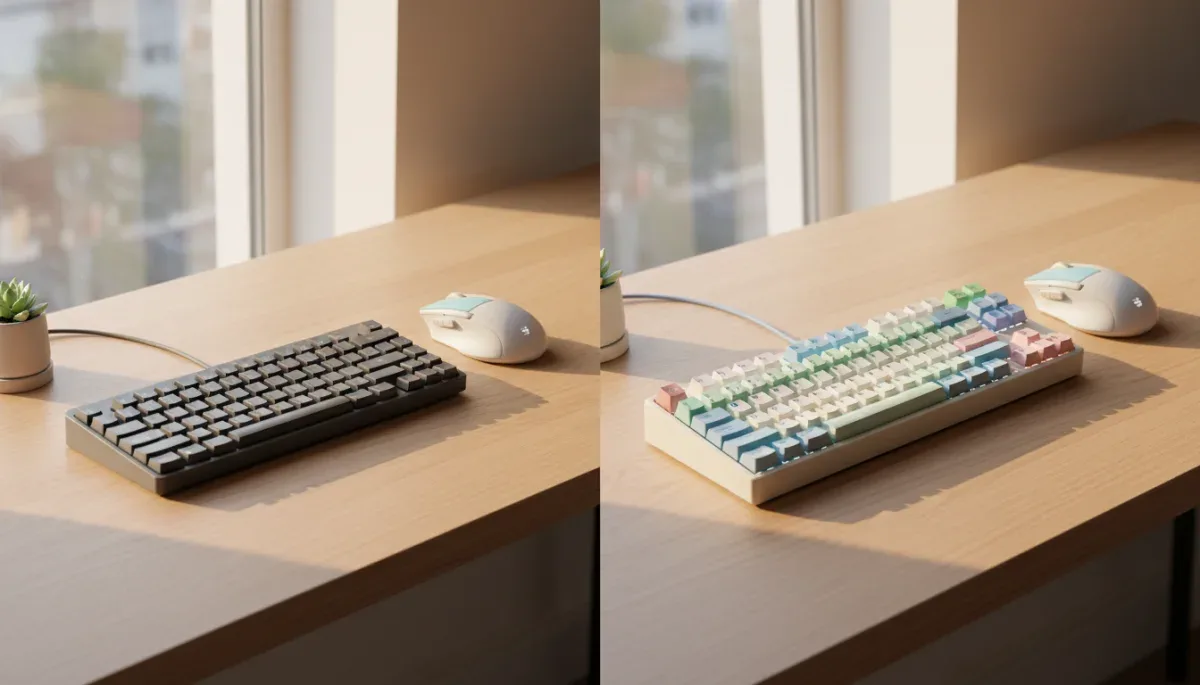
A mechanical keyboard provides superior typing comfort and reduced finger fatigue during long workdays because each key registers before bottoming out on a rigid base.
This physical advantage helps remote workers, programmers, and data entry staff who type for hours at a time, though it requires accepting higher purchase costs and noticeable acoustic feedback in shared living spaces.
How internal switch design changes typing feel
The core difference between these two input devices lies inside the physical mechanism that registers each keystroke. A membrane keyboard uses three flexible layers: a top conductive trace layer, a non-conductive spacer with holes, and a bottom conductive trace layer. Above these layers sits a sheet of molded silicone or rubber domes. When you press a keycap down, the rubber dome collapses, pushing the top electrical trace through the spacer hole to make contact with the bottom trace. Because the entire circuit relies on full contact between these flexible sheets, you must press the key all the way down to the bottom plate for the computer to recognize your input. This constant bottoming out sends shock waves directly into your fingertips.
Advertisements
In contrast, a mechanical keyboard uses an independent, self-contained switch housing under every single keycap. Inside each switch, a plastic stem moves downward against a metal coil spring until it pushes two electrical contact leaves together. This contact point happens roughly halfway through the total travel distance of the key. You do not need to slam the switch into the circuit board to type a letter. The spring absorbs your finger motion smoothly and returns the key to its resting position instantly, which creates a softer, more fluid rhythm during extended typing sessions.
Advertisements
Key components inside a mechanical switch
- Stem: The central moving plastic post that holds the keycap and dictates the physical motion path.
- Contact leaves: Two small metal prongs that meet to complete the electrical circuit before the switch bottoms out.
- Coil spring: The tempered steel spring that determines how much physical force is required to press the key.
- Housing: The outer plastic shell that mounts into the keyboard plate and stabilizes all internal moving parts.
Actuation force and daily finger fatigue
Typing fatigue develops from repeated mechanical shock and sustained muscular tension in the hands and forearms. In keyboard design, actuation force refers to the amount of pressure required to make a keystroke register, usually measured in grams of force. A standard rubber dome keyboard often requires between 55 and 70 grams of force to collapse the dome. While the rubber resists at first, it suddenly gives way completely once collapsed, forcing your finger to strike the hard plastic bottom plate with full momentum. Doing this tens of thousands of times per day creates cumulative stress on the tendons in your wrists.
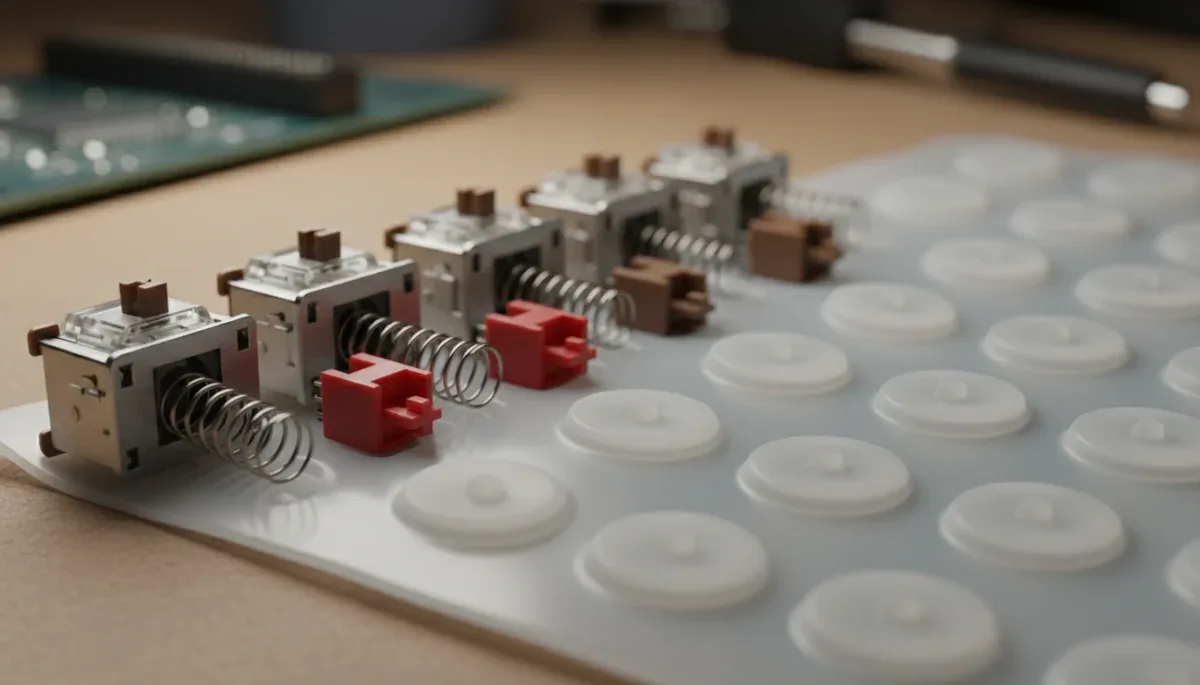 A mechanical vs membrane keyboard comparison reveals far greater versatility in actuation weights across mechanical options. Linear and tactile mechanical switches often actuate at 45 to 50 grams of force, requiring significantly less effort from your hands. Because the electrical registration occurs at approximately two millimeters of depth rather than the full four millimeters of travel, seasoned typists learn to float their fingers across the keys without pressing down completely. This technique eliminates harsh impacts against the backplate and noticeably reduces end-of-day soreness across your knuckles, palms, and wrists.
Noise levels and shared home office etiquette
Sound output is one of the most critical factors when setting up a remote work station, especially if you share a room with a partner or make frequent client calls. Membrane keyboards are inherently quiet because the soft rubber dome acts as a natural dampener against the plastic backplate. The sound produced is a muffled thud that rarely registers on standard headset microphones or disturbs people in adjacent rooms. For shared apartments or open floor plans, a quality membrane board offers immediate acoustic peace without requiring modifications or special equipment.
Mechanical switches generate significantly more sound depending on their internal category. Clicky switches incorporate an internal click jacket or metal click bar that intentionally makes a loud, sharp snap at the exact actuation point. While this sound provides crisp feedback to the typist, it is often loud enough to carry across an entire house and disrupt video conference calls. If you prefer a mechanical board for a shared space, choose linear switches or specialized silent switches, which integrate internal silicone dampeners on the stem to quiet both the downstroke and the rebound motion.
Common mechanical switch sound profiles
- Linear switches: Smooth travel from top to bottom with no tactile bump, producing a low-pitched, quiet sound.
- Tactile switches: A subtle physical bump at the actuation point without a click mechanism, generating moderate sound.
- Clicky switches: A distinct tactile bump paired with an audible metallic click, creating high noise levels.
- Silent switches: Internal rubber or silicone pads on the stem that silence both upward and downward impacts.
Durability, repairability, and long-term costs
Membrane keyboards are inexpensive to produce and dominate the budget market, often selling for fifteen to thirty dollars. However, their operational lifespan reflects their lower manufacturing costs. Silicone domes degrade over time due to repeated stretching, heat, and skin oil exposure. After two to three years of daily office work, the domes lose their elasticity, causing the keys to feel mushy, stiff, or inconsistent. If a single conductive trace fails on the flexible circuit sheet beneath the domes, the entire keyboard must be discarded, as individual key repairs on membrane boards are generally impossible.
A well-built mechanical keyboard represents a higher upfront investment, typically ranging from sixty to one hundred fifty dollars for solid entry-level models, but it offers far greater longevity. Individual mechanical switches are rated for fifty to one hundred million keypresses before failure. Furthermore, many modern office boards feature hot-swappable printed circuit boards. This design allows you to pull out a single faulty switch using a small metal tool and push in a replacement switch without soldering. Keycaps can also be swapped out when their legends fade, turning a mechanical keyboard into a durable desk tool that can easily last for a decade with basic cleaning.
Ergonomic form factors and wrist positioning
Physical comfort involves more than just the switch mechanism; overall keyboard thickness and angle heavily influence how your wrists rest on the desk. Membrane keyboards usually feature a very slim profile because their layered circuit sheets take up almost no vertical space. Low-profile typing angles allow your hands to rest nearly flat against the desk surface, which reduces wrist extension and prevents median nerve compression without the strict need for an elevated wrist rest.
Standard mechanical keyboards, by comparison, have taller chassis to accommodate switch housings, backplates, and internal sound-dampening foam. Typing on a tall mechanical board without a dedicated palm rest forces your wrists to bend upward, creating an angle known as dorsiflexion that can lead to repetitive strain injuries over time. If you decide to transition to a traditional mechanical model for work, you must budget for a matching foam or wooden wrist rest to keep your forearms parallel to the floor. Alternatively, you can look for low-profile mechanical keyboards, which utilize shorter switches to achieve the low height of a membrane keyboard alongside the precision of mechanical switches.
Shopping specs and return policies to check
When browsing online retailers for an office keyboard, marketing descriptions can be misleading. Many budget sellers use terms like mechanical feel or semi-mechanical to describe standard rubber dome keyboards that simply have taller plastic keycaps. To ensure you are buying genuine mechanical hardware, look for explicit mentions of individual mechanical switches from established switch manufacturers such as Outemu, Gateron, Kailh, or Cherry MX. The product specifications should clearly state the switch model and identify whether the board features a hot-swap circuit board.
Always verify the store return policy before completing your order. Typing comfort is intensely personal, and a switch type that feels pleasant for five minutes in a showroom might cause finger cramps after eight hours of real work. Many electronics stores and online marketplaces allow thirty days for returns, but some third-party merchants charge a restocking fee of fifteen to twenty percent if the original packaging has been opened. Check the warranty length as well; reputable brands typically provide a one-year or two-year limited manufacturer warranty covering dead switch circuits or faulty wireless receivers.
At a glance
| Keyboard factor | What to know |
|---|---|
| Switch actuation | Mechanical switches register halfway down, while membrane boards require full bottom-out force. |
| Finger fatigue | Mechanical keyboards reduce strain over long shifts by preventing hard impacts against the frame. |
| Acoustic impact | Membrane models are naturally quiet, whereas mechanical boards range from muted to very loud. |
| Expected lifespan | Mechanical boards can last a decade through repairable switches, while membrane sheets wear out faster. |
Frequently asked questions
Can a mechanical keyboard make you type faster?
A mechanical keyboard can improve your typing speed once you adjust to its early actuation point. Because keys register without needing a complete downstroke, finger travel distance decreases. Clean physical feedback also reduces mistypes and repeated key presses during fast input.
Are membrane keyboards bad for your wrists?
Membrane keyboards are not inherently harmful, but their requirement to bottom out on every keystroke causes continuous shock against the frame. This repeated impact, combined with stiff or aging rubber domes, can accelerate fatigue and strain over an eight-hour shift.
What is the quietest mechanical switch for office work?
Silent linear switches are the quietest mechanical option available. These switches feature small silicone pads on the internal stem rails that cushion the impact when pressed down and when bouncing back up, producing less noise than many conventional membrane boards.
Why do some cheap keyboards say mechanical feel?
The term mechanical feel is a marketing label for a standard membrane keyboard fitted with taller plastic stems. These keyboards still rely on a collapsing silicone dome sheet, meaning they lack true mechanical switches, individual springs, repairability, and early actuation benefits.
The bottom line
Upgrading to a mechanical keyboard is an effective way to lower finger fatigue and improve daily comfort, provided you choose a quiet tactile or linear switch and pair it with a proper wrist rest. A membrane keyboard remains the practical choice if you need absolute silence on a tight budget or want an ultra-slim travel profile. Before you place an order, check the retailer return policy to make sure you have at least thirty days to test the switch weight against your daily workload.

Written by
Mariana Viana
Mariana Viana covers discounts and savings for S2YOU, from coupons and cashback to free-trial and sample programs. She compares offers and program rules across retailers, and checks every detail on the brand's official site before publishing.