
USB-C Cable Wattage Ratings and What to Check
Advertisements
USB-C cable wattage ratings determine how much electrical power a cord can safely carry from a wall charger to your device, ranging standardly from 60 watts up to 240 watts under modern standards. Checking this rating ensures your phone, tablet, or laptop charges at its intended top speed without overheating or dropping back to a slow emergency charging rate.
This technical breakdown helps shoppers who buy budget electronics and replacement cords avoid paying extra for performance they cannot use, or worse, buying an inadequate cord that throttles laptop charging. The primary catch is that external appearance offers almost no clue about internal electrical capacity, meaning you must check printed technical specifications, wire gauge markers, and official certification logos before purchasing.
Understanding USB-C power delivery standards
The universal serial bus Type-C connector is physically standardized, but the electrical architecture routed through that compact plug varies dramatically from one accessory to another. The baseline specification for basic USB-C connections provides five volts at up to three amperes, which yields fifteen watts of total electrical output. To charge demanding devices like high-performance smartphones, handheld gaming consoles, tablets, and full-sized laptops, manufacturers rely on an intelligent handshake protocol known as USB Power Delivery, often abbreviated as USB PD.
Advertisements
USB Power Delivery enables connected hardware to negotiate dynamic electrical contracts across the dedicated configuration channel pins inside the connector. Under traditional standard power range specifications, the charger and device negotiate voltages up to twenty volts at currents up to five amperes. The actual throughput achieved during any charging session depends entirely on the lowest rated component in the chain: the power adapter, the receiving device, or the physical cable connecting them. If you pair a ninety-six-watt wall brick with an ultrabook using a base-tier cord, the charging system automatically steps down to protect internal components from electrical degradation.
Advertisements
Key stages of power delivery negotiation
- Source advertising where the wall adapter broadcasts its available electrical voltage and amperage profiles.
- Cable discovery where the power delivery controller reads the internal electrical limits of the connecting cord.
- Sink request where the receiving device selects the highest compatible power tier supported across all three hardware links.
Because the physical design of the twenty-four-pin plug remains consistent across cheap low-power cords and premium high-output leads, users often assume that any cable fitting the port functions identically. However, running excessive current through conductors that lack sufficient thickness creates electrical resistance, which manifests as wasted energy and dangerous heat. To prevent physical hazard, the USB Implementers Forum establishes rigid technical constraints that force hardware to default to base thresholds unless the cable verifies its electrical integrity.
Why 60W and 100W cables differ internally
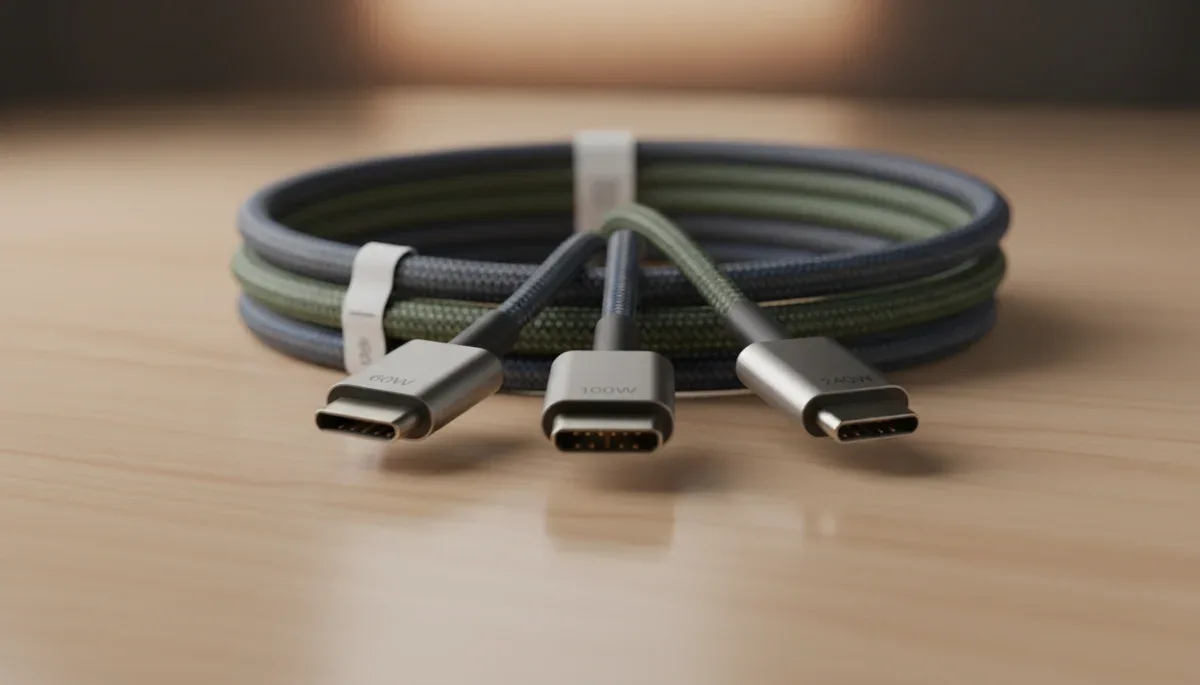
The standard distinction among modern fast-charging accessories sits between sixty-watt cables and one-hundred-watt cables. A standard sixty-watt USB-C cable is engineered to handle an electrical current limit of three amperes at a maximum potential of twenty volts. Because three amperes is the default ceiling for standard Type-C physical architecture, these cables do not require active identification circuitry to operate safely within consumer electronic setups.
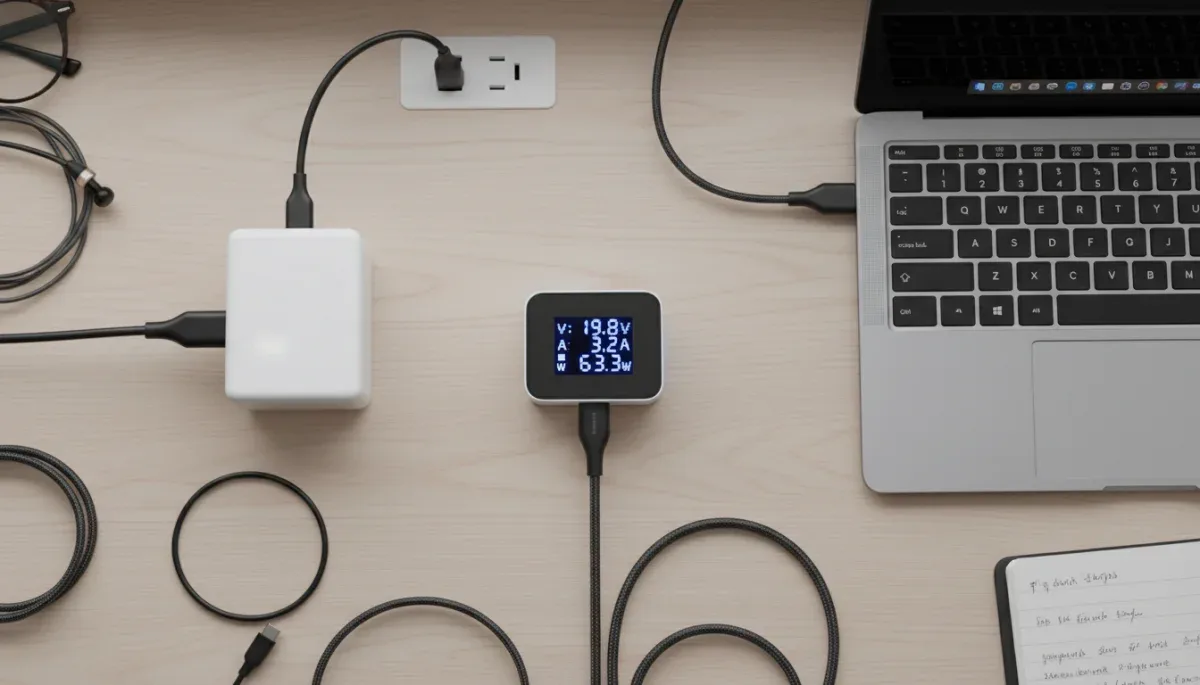
When an accessory is built to conduct one hundred watts, it must handle five amperes of current at twenty volts. Handling five amperes demands significantly thicker copper copper strands within the internal wire bundle to prevent voltage drop and excessive thermal generation over distance. More importantly, global safety rules published by the USB Implementers Forum mandate that any cable capable of handling more than three amperes must incorporate an internal microchip known as an electronic marker, commonly called an E-Marker.
Differences in cable construction
- Copper conductor gauge where five-ampere cables utilize heavier American Wire Gauge copper to manage current density.
- Integrated E-Marker silicon embedded inside the connector housing to broadcast current capabilities to the charger.
- Enhanced strain relief and heat-resistant thermal jacketing designed to withstand thermal expansion under heavy loads.
An E-Marker acts as an active digital identity card soldered onto the miniature printed circuit board inside the cable head. When you plug a five-ampere cable into a compatible charger, the charger’s microcontroller queries this chip across the configuration channel. If the E-Marker confirms five-ampere certification, the charger unlocks higher current profiles. If the cable lacks this chip or is rated only for three amperes, the charger refuses to output more than sixty watts, regardless of the wattage printed on the wall charger itself.
The rise of 240W Extended Power Range cables
In response to growing demand for USB-C powered workstation laptops, high-draw monitors, and power tools, the USB Implementers Forum released the USB Power Delivery 3.1 specification. This revision introduced the Extended Power Range, or EPR, which expands the maximum operating voltage beyond the historical twenty-volt ceiling up to forty-eight volts. While current remains capped at five amperes, multiplying forty-eight volts by five amperes delivers a theoretical ceiling of two hundred forty watts over a single Type-C connection.
Cables certified for two hundred forty watts represent a notable leap in safety engineering and internal architecture. At forty-eight volts, electrical arcing becomes a tangible risk when a user unplugs a cable while current is actively flowing. Extended Power Range cords must feature specialized internal shielding, modified E-Marker programming that supports EPR handshakes, and electrical insulation capable of withstanding rapid voltage spikes without dielectric breakdown.
Standard operating tiers in modern charging
- Sixty-watt baseline cords operating at twenty volts and three amperes for phones, wireless earbuds, and standard tablets.
- One-hundred-watt legacy high-power leads operating at twenty volts and five amperes for mid-size productivity laptops.
- Two-hundred-forty-watt Extended Power Range cords operating at forty-eight volts and five amperes for gaming rigs and heavy workstations.
For budget-focused shoppers, buying a two-hundred-forty-watt cable for a device that draws only thirty or forty-five watts provides no tangible charging benefit. While an EPR cable is backward compatible with sixty-watt and eighteen-watt devices, it does not push electricity faster than the device itself requests. Purchasing high-wattage leads is only necessary if your host device explicitly lists power requirements exceeding one hundred watts in its technical specifications.
How data transfer speeds complicate wattage choices
One of the most confusing aspects of buying USB-C cables is the absolute separation between electrical wattage ratings and data transfer throughput. A cable capable of delivering two hundred forty watts of fast charging power might transfer data at obsolete USB 2.0 speeds of four hundred eighty megabits per second. Conversely, a high-speed Thunderbolt or USB4 cable delivering forty gigabits per second might only support sixty watts or one hundred watts of charging throughput depending on its design.
Power delivery requires robust power lines and ground conductors, whereas high-speed data transmission requires multiple shielded differential twisted pairs capable of carrying high-frequency radio signals without signal degradation. Adding both heavy-gauge copper for five-ampere current and intricate shielded pairs for forty-gigabit data makes a cable physically thick, rigid, expensive, and limited in practical length. For this reason, manufacturers produce specialized cords optimized either for affordable charging or high-bandwidth data routing.
Common functional combinations found online
- Charge-only or USB 2.0 cords offering high wattage ratings up to two hundred forty watts with minimal data transfer lines.
- Mid-tier data cables offering five or ten gigabits per second with standard sixty-watt or one-hundred-watt charging capacity.
- Full-featured USB4 and Thunderbolt cords offering maximum data bandwidth along with certified high-wattage power lines.
Shoppers looking for a nightstand or desk charging cable rarely need multi-gigabit data lines. If your goal is simply powering a tablet, phone, or computer, a charge-optimized cable with basic USB 2.0 wiring is substantially more flexible, durable, and affordable. Paying extra for high-speed video and data capability is wasteful if the cord remains plugged into a wall outlet permanently.
Safety risks and identifying E-Marker chips
The proliferation of unbranded, ultra-cheap electronics in online marketplaces has created real electrical safety challenges for everyday shoppers. When budget manufacturers cut manufacturing costs, they often eliminate the internal E-Marker microchip while falsely advertising the product as a one-hundred-watt fast-charging lead. Alternatively, substandard manufacturers might flash cloned or counterfeit E-Marker chips that report five-ampere capability to the charger despite the cable containing thin, three-ampere wiring inside.
Mismatched hardware creates distinct thermal hazards. When an uncertified cord allows a wall adapter to push five amperes of sustained current through thin twenty-eight-gauge copper wires, electrical resistance causes rapid heat accumulation. Over an extended charging session, this heat can melt outer PVC jacketing, destroy sensitive internal phone charging ports, or cause internal short circuits that ruin expensive electronics.
Physical indicators of substandard construction
- Abnormally thin cord diameter that suggests inadequate conductor thickness for high-current transfer.
- Excessive flexibility near the connector neck pointing toward omitted internal ground shielding and poor strain relief.
- Lack of printed regulatory, wattage, or performance markings along the outer insulation or connector shell.
Legitimate brands subject their cables to testing by independent compliance labs and the USB Implementers Forum. When evaluating unfamiliar accessories on marketplace platforms, look for clear mentions of USB-IF compliance, over-current protection, and flame-retardant jacket materials. Reliable listings clearly disclose wire gauge numbers, such as twenty-two or twenty AWG for primary power paths, indicating that the manufacturer used physical materials suitable for high electrical loads.
What labels and physical specs to check before buying
Navigating product listings requires reading past marketing buzzwords like military-grade, rapid-fire, or super-speed to inspect verifiable technical specifications. The most critical step is locating the specific wattage breakdown, which must state both the maximum voltage and maximum amperage the accessory supports. A trustworthy listing states clear electrical limits, such as twenty volts at three amperes for sixty watts, or twenty volts at five amperes for one hundred watts.
In recent years, the USB-IF introduced standardized consumer logos that display both wattage performance and data speed clearly on retail packaging and connector housings. Rather than deciphering complex version names like USB 3.2 Gen 2x2, these official marks display a simple battery icon combined with numbers like sixty watts, one hundred watts, or two hundred forty watts. Choosing products that feature these standardized performance logos provides verification that the product meets independent electrical benchmarks.
Checklist before finalizing your purchase
- Verify the maximum power input of your device to avoid overpaying for unnecessary wattage overhead.
- Examine the wire gauge specifications, ensuring power conductors use thicker wire for five-ampere charging.
- Check the total cable length, remembering that cables over six feet suffer greater voltage drop unless heavily shielded.
- Inspect the connector housing to verify robust molded strain relief that prevents copper fatigue near the plug.
Length plays an important role in real-world electrical delivery. Because electrical resistance naturally increases as wire length extends, a ten-foot budget cord often struggles to maintain steady peak current compared to a standard three-foot or six-foot lead. If you require a long-distance connection for a power-hungry laptop, choosing a certified one-hundred-watt or two-hundred-forty-watt cable with heavy-gauge internal conductors ensures that voltage drop does not throttle your battery charging speed.
At a glance
| Cable Tier | What to know |
|---|---|
| 60-watt cable | Operates at three amperes and handles smartphones, handheld devices, and basic tablets without needing an internal E-Marker chip. |
| 100-watt cable | Operates at five amperes and requires an integrated E-Marker chip to charge mid-range laptops and large portable batteries. |
| 240-watt cable | Supports Extended Power Range at forty-eight volts for high-draw gaming laptops and high-power workstations. |
| Data-only distinction | High wattage charging ratings do not guarantee fast data transfer speeds, which are regulated by separate internal wiring. |
Frequently asked questions
Can a 100W cable damage a 30W phone?
No, a higher-wattage cable will not damage a lower-wattage phone. Modern USB Power Delivery devices draw only the specific electrical current and voltage they request from the power supply, meaning the cable simply accommodates the lower load safely without forcing excess electricity into the device.
Why does my laptop charge slowly with my phone cable?
Your laptop charges slowly because standard phone cables are typically rated for sixty watts or less. When a high-draw laptop detects a three-ampere cable, it automatically scales down its charging input to prevent the cord from overheating, resulting in significantly extended charging times.
Do all USB-C cables include an E-Marker chip?
No, basic cables rated for three amperes or sixty watts do not require an E-Marker chip. Only cables engineered to carry five amperes of current, including one-hundred-watt and two-hundred-forty-watt cords, must contain this internal identification silicon under official USB specifications.
Does cable length affect charging wattage?
Yes, longer cables experience increased electrical resistance that can cause voltage drops over distance. Cheaply constructed cords longer than six feet may fail to sustain maximum negotiated power levels unless they incorporate thicker internal copper conductors to counteract natural resistive losses.
The bottom line
USB-C cable wattage ratings determine how much power your charger can deliver to your device, divided practically between basic sixty-watt leads, mid-tier one-hundred-watt cords, and modern two-hundred-forty-watt Extended Power Range options. Choosing an adequate cord requires matching the wire’s certified amperage to your device’s original power adapter specifications rather than judging by outer appearance alone. Before buying a replacement cable, always check your laptop or phone manufacturer’s published wattage requirement to ensure the cord supports the proper current tier.

Written by
Mariana Viana
Mariana Viana covers discounts and savings for S2YOU, from coupons and cashback to free-trial and sample programs. She compares offers and program rules across retailers, and checks every detail on the brand's official site before publishing.